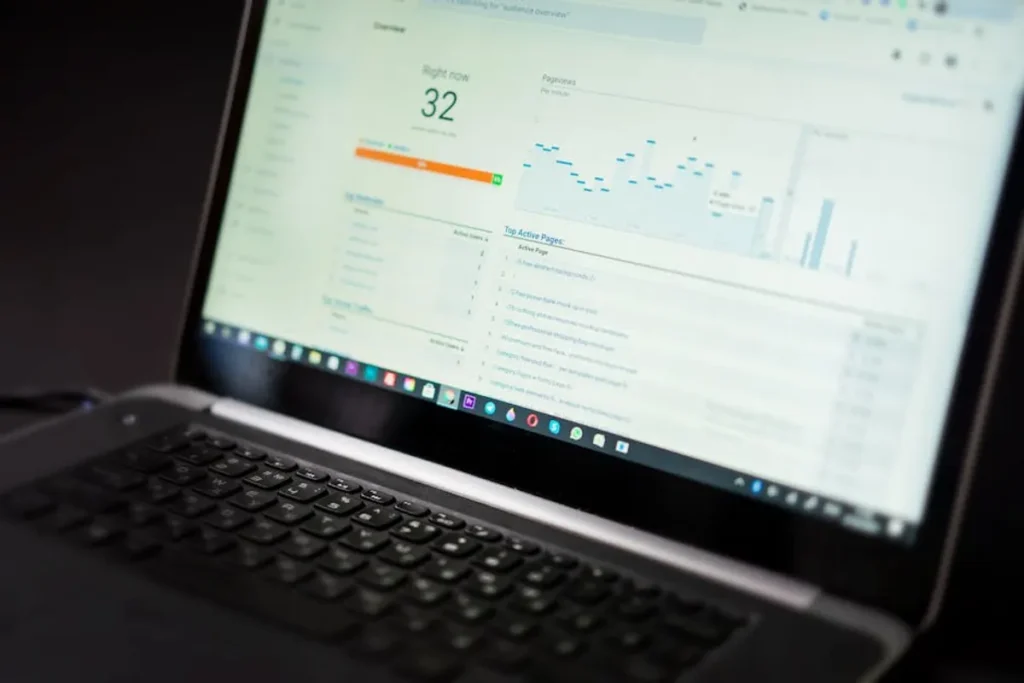
The Desktop SERP Volatility Tool from SERP Volatility shows how unstable desktop search results are for tracked keywords, categories, and time windows so you can quickly separate normal movement from meaningful ranking turbulence. It highlights when desktop rankings are shifting faster than baseline, where the instability is concentrated, and whether the pattern looks like a broad algorithmic event, a vertical-specific shakeup, or a localized competitor-driven change. For SEOs, publishers, agencies, and analysts, the practical value is simple: you can stop reacting to every position change and start responding to volatility signals that actually explain what is happening in the desktop SERP.
What the Desktop SERP Volatility Tool does
This tool monitors desktop ranking movement across a large keyword set and converts raw fluctuations into readable volatility signals. Instead of only telling you that a page moved from position 6 to position 11, it helps you understand whether that drop happened during a calm period, a market-wide surge in instability, or a category-specific spike affecting many sites at once.
At a practical level, the tool is built to answer four questions fast:
- Is desktop search unusually unstable today?
- Which keyword groups or market segments are moving the most?
- Does the pattern resemble a broad update or an isolated ranking disruption?
- Should you investigate, wait, or escalate?
Because desktop results can behave differently from mobile, the tool isolates desktop turbulence rather than blending device types into one average. That matters when layout changes, feature shifts, intent remapping, or update rollouts affect desktop visibility in a distinct way.
When to use a desktop volatility tool
Use the tool whenever ranking changes need context. A standalone rank tracker can show movement, but it cannot always tell you whether the movement is exceptional. Volatility data fills that gap.
After sudden ranking drops or gains
If a cluster of keywords falls on desktop in a short period, check volatility before rewriting pages or rolling back recent changes. A high-volatility environment often means the SERP is reordering broadly, and your site may not be the only one affected.
During suspected Google update activity
When search communities report turbulence, the tool helps verify whether desktop results are actually showing elevated instability. This is useful for agencies that need evidence before sending client alerts and for in-house teams deciding whether to pause major on-page changes.
When desktop traffic diverges from mobile
If desktop clicks or impressions move sharply while mobile stays relatively steady, device-specific volatility can explain the gap. That is especially relevant for publisher sites, B2B lead generation, finance, software, and other categories where desktop behavior still drives a meaningful share of value.
Before diagnosing technical SEO issues
Technical problems can cause ranking losses, but so can unstable SERPs. Checking volatility first helps prioritize your investigation. If the market is calm, your issue may be site-specific. If the market is highly unstable, the right move may be to monitor patterns before overcorrecting.
How to interpret desktop volatility signals
Not every spike means the same thing. The most useful reading comes from combining intensity, breadth, duration, and concentration.
Intensity: how sharp the movement is
A mild increase suggests routine reshuffling. A sharp spike indicates unusually high ranking displacement across the tracked set. Strong intensity deserves attention, especially if your affected keywords overlap with the most volatile segments.
Breadth: how much of the SERP set is affected
If volatility is spread across many categories, the pattern may align with a broad algorithmic event or a large recalibration of result ordering. If it is concentrated in one topic area, the cause may be vertical-specific intent shifts, feature changes, or competitive content refreshes.
Duration: whether the instability persists
One-day turbulence can be noise, testing, or temporary re-ranking. Multi-day instability often signals a more meaningful recalculation. Persistent volatility is usually where deeper analysis pays off, particularly for reporting and forecasting.
Concentration: where the movement is happening
Desktop volatility becomes more actionable when you can isolate affected keyword groups, templates, or content types. If product pages are moving but editorial pages are stable, your response should be different than if the whole domain category is shifting.
How the tool helps teams make better decisions
The strongest commercial use case is decision quality. Volatility context reduces false alarms and improves the timing of SEO actions.
Practical benefits include:
- Faster triage when rankings move unexpectedly
- Better client communication during unstable update periods
- Clearer separation between site issues and market-wide turbulence
- Smarter prioritization of audits, content changes, and reporting
Desktop-specific patterns worth watching
Desktop SERPs often show different turbulence signatures than mobile because the result page can support different layouts, feature density, and user behavior. A desktop volatility tool is especially useful when you want to detect patterns such as heavier movement in informational queries, stronger reshuffling in commercial investigation terms, or increased instability after visible SERP feature changes.
For publishers, this can reveal when editorial visibility is being disrupted by feature insertions, source rotation, or intent remapping. For agencies, it can explain why several clients in the same sector are reporting desktop-only softness. For analysts, it provides a cleaner signal for update pattern detection without device blending.
Short workflow example
An agency notices that three B2B software clients lost desktop rankings for comparison and alternatives keywords over 48 hours. Instead of immediately changing title tags or internal links, the team checks the Desktop SERP Volatility Tool. The data shows a sharp desktop spike concentrated in software and review-intent terms, with elevated movement across multiple domains. The agency labels the event as sector-wide turbulence, informs clients that the pattern is not isolated, monitors whether the instability persists for another two days, and only then starts page-level analysis for keywords that failed to recover. That sequence prevents rushed changes during an unstable SERP cycle.
What to do when volatility is high
High volatility should trigger structured investigation, not panic. Start by comparing affected desktop keywords against your unaffected set. Review whether losses are concentrated by intent, page type, directory, or topic cluster. Then compare your movement with broader market turbulence. If the market is unstable, document the event window and avoid making sweeping changes before the pattern settles unless you also find a clear technical or content problem.
If volatility is low but your rankings moved sharply, escalate faster. In a calm market, isolated losses are more likely to point to site-specific causes such as indexing errors, template changes, cannibalization, content decay, or stronger competitor replacements.
FAQ
Is this tool different from a standard rank tracker?
Yes. A rank tracker reports position changes for your keywords. A desktop volatility tool adds market context by showing whether those changes happened during a period of unusual SERP instability.
Why focus on desktop separately?
Desktop results can shift differently from mobile due to layout, feature mix, and query behavior. Separate desktop monitoring gives a cleaner signal when device-specific turbulence matters.
Can the tool help confirm a Google update?
It can help identify patterns consistent with update activity by showing elevated and sustained desktop instability, but it should be used alongside ranking, traffic, and page-level analysis.
When should I take action versus wait?
If volatility is high across your market, monitor first and avoid overreacting. If volatility is low and your site alone is dropping, investigate technical, content, and competitive causes immediately.